
Zed
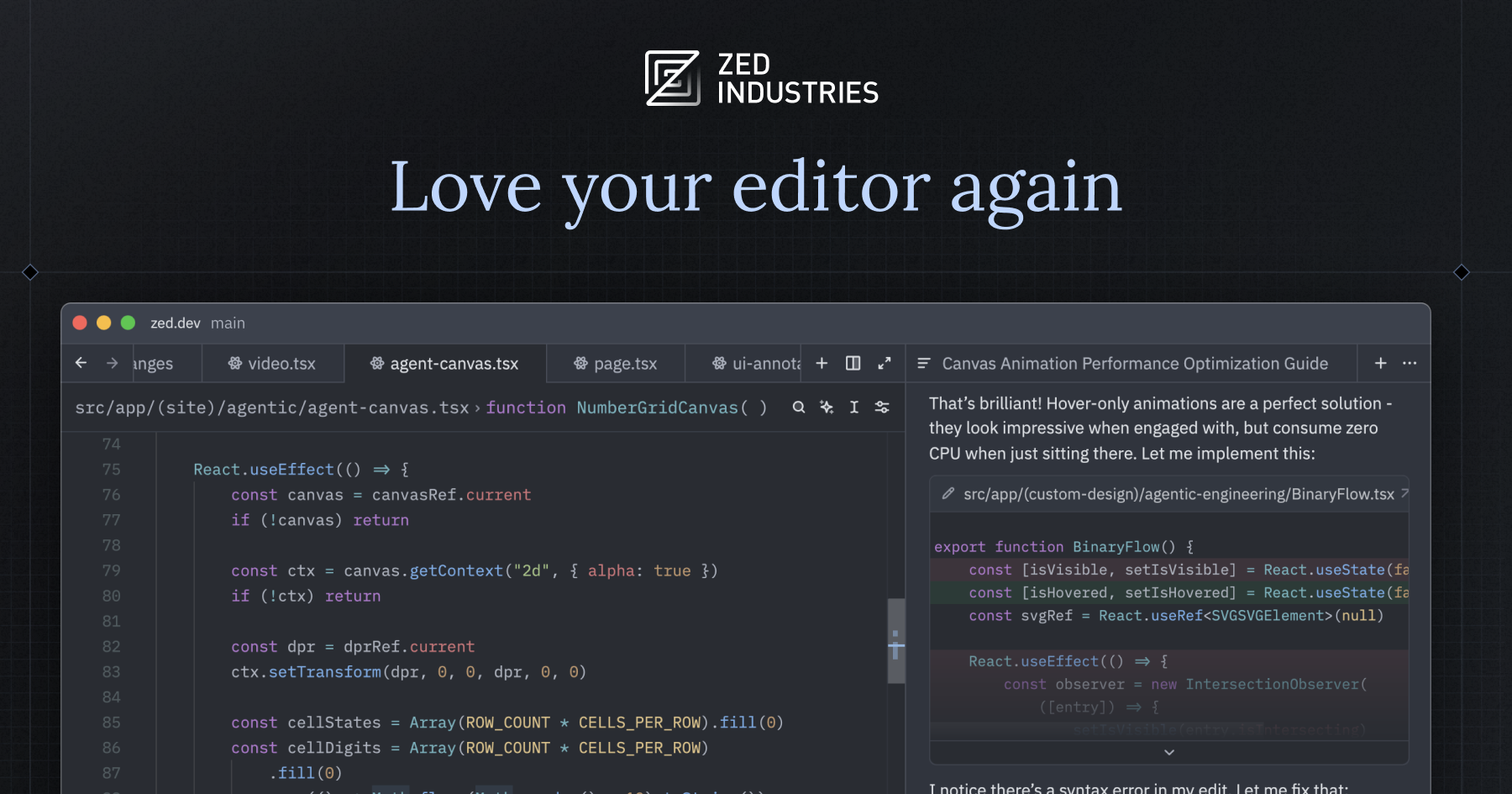
Zed is a fast, open-source code editor with built-in AI and multiplayer for developers who actually write code.
Type
AI-assisted code editor / IDE
Pricing
Freemium
Category
AI Code GenerationWebsite
zed.devMVPable Score
A serious dev tool that speeds up coding, but it's an editor — not an app builder
Reviewed by MVPable · Updated
Who Should Use Zed
Use Zed if
- Technical founders who write their own code and want a faster editor than VS Code
- Two-person dev teams wanting real-time pair programming without screen sharing lag
- Developers already paying for AI models (Claude, GPT-4) who want native integration in their editor
- Rust/TypeScript/Python devs tired of Electron-based editor bloat
Avoid Zed if
- Non-technical founders looking for a no-code or low-code MVP builder
- Teams heavily invested in VS Code extensions — Zed's extension ecosystem is still thin
- Founders who need an all-in-one platform that deploys, hosts, and manages their app
- Anyone on Windows — Zed currently only supports macOS and Linux
Real use cases
SaaS backend MVP with AI pair coding
Use Zed's AI agent to scaffold API routes, write database queries, and iterate on business logic fast. Connect your own Claude or GPT-4 API key and have the agent help you build a Node.js or Python backend from scratch.
Real-time collaborative prototyping with a co-founder
You and your technical co-founder jump into the same Zed workspace from different cities. One works on the frontend components, the other on the API layer — no screen share needed, no git merge conflicts in real-time.
Rapid CLI tool or developer-facing MVP
If your MVP is a developer tool, SDK, or CLI, Zed's speed and AI assistance let you iterate on code incredibly fast. The lack of heavy IDE overhead means you stay in flow state longer.
AI wrapper app with model-switching
Building an AI-powered product and want to test prompts and integrations across different models? Zed's native multi-model AI support lets you switch between providers while coding, which is handy when your MVP's core logic is LLM calls.
Zed Review: What You Need to Know
What Zed Actually Is
Let's be clear upfront: Zed is a code editor, not an app builder. It won't generate your MVP for you like Cursor's agent mode or scaffold a full project like Kiro. What it will do is make the actual act of writing code significantly faster and more pleasant — especially if you're coming from VS Code and have felt it getting sluggish.
Zed is built from the ground up in Rust. It's not an Electron wrapper. It's not a VS Code fork. You'll notice the difference the moment you open a large project — files open instantly, search is near-instantaneous, and the whole thing feels like it respects your hardware.
Where It Excels for MVP Development
The AI agent system is genuinely useful. You bring your own API keys (OpenAI, Anthropic, Google, etc.) and get an inline AI assistant that can edit files, run terminal commands, and work across your codebase. It's not as polished as Cursor's agent for complex multi-file refactors, but it's native, fast, and you're not locked into any single AI provider.
The multiplayer/collaboration feature is Zed's secret weapon for small teams. If you have a co-founder or a contractor, you can literally code in the same file simultaneously — like Google Docs for code. For a two-person MVP sprint, this eliminates a ton of friction around "hey, can you share your screen?" or waiting for someone to push their branch.
Performance matters more than people think during MVP sprints. When you're in a 12-hour coding session trying to ship something by Monday, an editor that doesn't lag on save, doesn't freeze during search, and doesn't eat 2GB of RAM actually keeps you productive.
Where It Falls Short
The extension ecosystem is still immature. If you rely on specific VS Code extensions for your framework (Prisma, Tailwind IntelliSense, specific linters), check if Zed has equivalents before switching. Many popular extensions are missing or community-maintained with rough edges.
No Windows support. Full stop. If anyone on your team is on Windows, Zed isn't an option for collaborative work.
The AI features, while solid, are not as advanced as Cursor. If your entire workflow is "describe what I want, let AI write it," Cursor is still ahead. Zed's AI is better suited for developers who write code themselves and use AI as an accelerant, not a replacement.
Honest Take
Zed won't build your MVP for you. But if you're a technical founder who actually codes, it'll make you faster at doing it. The combination of raw speed, native AI, and real-time collaboration is genuinely compelling for small teams in sprint mode. Just don't switch mid-project without checking the extension situation first — that's where most people bounce back to VS Code.
What most reviews don't mention
No Windows support — macOS and Linux only, which can be a dealbreaker for distributed teams
Extension ecosystem is significantly smaller than VS Code's — many popular framework-specific extensions are missing or immature
AI features require your own API keys and usage costs — there's no bundled free AI tier like some competitors offer
Remote development (SSH into servers/containers) support is still limited compared to VS Code's mature Remote-SSH extension
Vim emulation exists but has gaps — if you're a hardcore Vim user, some keybindings and motions may not work as expected
MVPability Score
Zed vs Alternatives
Market positioning
Zed sits between traditional code editors (VS Code, Neovim) and AI-first coding tools (Cursor, Windsurf). It's an editor for developers who want speed and AI help but don't want to hand over their workflow to an AI agent.
vs. Alternatives
Compared to Cursor, Zed is faster and more open (bring-your-own-model) but has less sophisticated AI agent capabilities. Against Kiro and Figma Make, it's a completely different category — those generate apps from specs or designs, while Zed is for writing actual code. If you're choosing between Zed and VS Code, the decision is speed + native AI vs. extension ecosystem maturity.



How we'd use it in a real MVP workflow
A serious two-person team would use Zed as their daily driver for sprint-mode MVP coding — leveraging multiplayer for real-time pairing and the AI agent for boilerplate generation and code review. You'd pair it with a deployment platform (Vercel, Railway) and a backend service (Supabase, PocketBase) since Zed is purely an editor. Keep VS Code installed as a fallback for when you need a specific extension Zed doesn't support yet.
Key trade-off
Zed makes you faster at writing code but doesn't reduce the amount of code you need to write. If you're a non-technical founder or want an AI to generate your entire app, this isn't the right tool — look at Cursor, Kiro, or a no-code platform instead.
Frequently asked questions
Is Zed free to use for MVP development?
Yes. Zed is open source and free. The editor itself costs nothing. You'll pay for AI usage if you connect your own API keys (e.g., Anthropic or OpenAI), but that's pay-per-use based on your coding volume — typically a few dollars per month for active development.
Can Zed replace Cursor for AI-assisted coding?
Partially. Zed's AI agent can edit files, run commands, and work across your codebase, but Cursor's multi-file agent mode and tab-completion are still more polished for heavy AI-driven development. If you write most code yourself and use AI as a helper, Zed works great. If you want AI to write most of the code, Cursor is still ahead.
Does Zed work on Windows?
No. As of mid-2025, Zed only supports macOS and Linux. Windows support has been discussed but there's no stable release. If you or your co-founder are on Windows, this is a hard blocker.
How does Zed's multiplayer actually work in practice?
You share a workspace link, your teammate joins, and you both see each other's cursors and edits in real-time — like Google Docs for code. It also supports shared terminals. It's genuinely useful for pair programming without the latency of screen sharing, though it requires both people to use Zed.
Should I switch to Zed mid-project or start fresh with it?
Zed opens any folder or git repo — there's zero migration cost for your code. The risk is your workflow: check that your must-have extensions (linters, formatters, language servers) exist in Zed first. Try it on a side branch for a day before committing. Since there's no lock-in, you can always switch back.
Ready to see how Zed fits in your MVP stack?