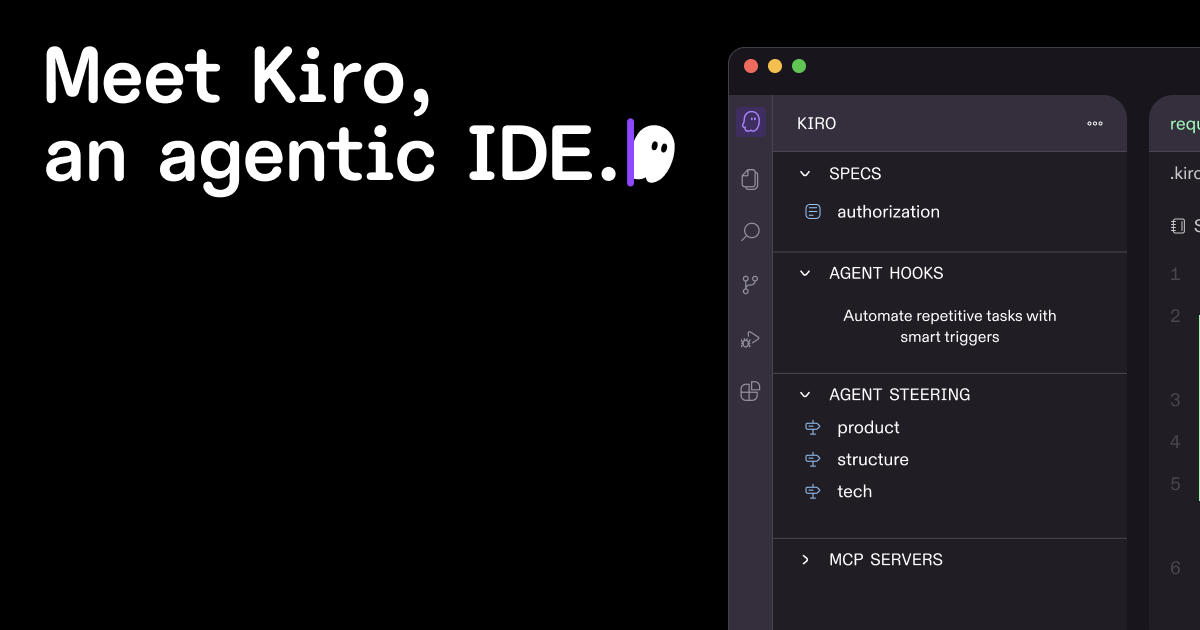

Kiro
Kiro helps developers build MVPs with AI coding rules that trigger automatically and spec-driven development workflows.
Type
AI Code Generation IDE
Pricing
Freemium
Category
AI Code GenerationWebsite
kiro.devMVPable Score
Promising for disciplined devs, but the spec-driven approach adds friction to fast prototyping
Reviewed by MVPable · Updated
Who Should Use Kiro
Use Kiro if
- Developers who want AI assistance with guardrails, not just autocomplete
- Solo founders building complex MVPs where code consistency matters early
- Technical founders who already think in specs and want AI to follow their architecture
- Teams transitioning from prototype to structured codebase and want AI to stay on-rails
Avoid Kiro if
- Non-technical founders who need a visual builder or no-code tool
- Founders who want to vibe-code a throwaway prototype in a weekend without structure
- Teams deeply invested in JetBrains or Neovim ecosystems and don't want to switch editors
- Anyone looking for a hosted AI app builder — this is a local IDE, not a deploy platform
Real use cases
SaaS backend with consistent patterns
You're building a multi-tenant SaaS MVP and want your AI to follow your auth patterns, API structure, and error handling conventions across every file. Define those as AI hooks and let Kiro enforce them as you code.
API-first product with spec-driven development
You already have an OpenAPI spec or detailed PRD. Use Kiro's spec-driven approach to translate your spec into implementation, with AI hooks ensuring your code stays aligned with the spec as you iterate.
Refactoring a messy prototype into production code
You vibe-coded a working prototype in Cursor or Copilot and now need to clean it up. Use Kiro's hooks to define your target architecture and let the AI help you refactor consistently.
Developer tool or CLI MVP
Building a dev tool where code quality matters from day one because your users are developers. Kiro's structured approach helps you maintain clean patterns even while moving fast.
Kiro Review: What You Need to Know
What Kiro Actually Is
Kiro is a VSCode fork — so if you're already in the VSCode ecosystem, the transition is painless. You get the same extensions, keybindings, and workflow you already know. What it adds on top is genuinely interesting: AI hooks that let you define coding rules as prompts that execute on specific triggers.
Think of it like this: instead of asking your AI assistant "hey, make sure you use our error handling pattern" every single time, you define that rule once as a hook. When you create a new API endpoint, the hook fires and the AI follows your conventions automatically. Nobody else is really doing this — Cursor, Copilot, and Augment give you chat and autocomplete, but they don't give you this kind of programmable AI behavior.
Where It Excels
The AI hooks concept is legitimately novel. If you're a technical founder who's tired of correcting your AI assistant's output to match your patterns, this is a relief. You define the rules once, and they stick. For MVP builders who care about code quality from day one (maybe you're building for a technical audience or know you'll need to hand this codebase to a team), this is valuable.
The spec-driven model means Kiro wants you to define what you're building before you build it. For founders who already write specs or have a clear PRD, this is a natural fit — the AI becomes more useful because it has more context.
Where It Falls Short
Here's the honest take: the spec-driven approach adds friction. If you're in rapid validation mode — testing three ideas in a week, building throwaway prototypes, or just exploring — being asked to write specs first feels like overhead. Most MVP builders want to move fast and messy, then clean up later. Kiro wants you to be structured from the start.
It's also a VSCode fork, which means you're betting on their ability to keep up with VSCode updates and maintain compatibility with your extensions. History shows VSCode forks can lag behind, and that's a real concern.
The freemium model is nice for getting started, but details on what's behind the paywall are still emerging. Early-stage tools change pricing often, and you should expect the free tier to tighten over time.
The MVP Builder Verdict
Kiro sits in an interesting middle ground. It's more structured than Cursor or Copilot but less opinionated than a full AI app builder. If you're a developer who wants AI that follows your rules rather than its own assumptions, Kiro's hooks feature is genuinely worth trying. But if you want to move at maximum speed with minimum structure, the spec-driven model will feel like it's slowing you down during the phase where speed matters most.
What most reviews don't mention
The spec-driven model requires upfront work before you get AI assistance — there's no 'just start coding and the AI figures it out' mode, which slows down early exploration
As a VSCode fork, extension compatibility can break or lag behind official VSCode releases — don't assume every extension works perfectly
AI hooks are powerful but require you to invest time defining good rules upfront; poorly written hooks will produce consistently wrong code across your entire codebase
Being a newer tool from AWS (Amazon), the community and ecosystem of shared hooks/templates is still very thin compared to Cursor's community prompts or Copilot's massive user base
Free tier limitations are not fully transparent yet — expect changes as the product matures and monetization pressure increases
MVPability Score
Kiro vs Alternatives
Market positioning
Kiro sits between traditional AI code assistants (Copilot, Augment) and AI app builders (Bolt, Lovable). It's for developers who want programmable AI behavior in their editor, not just autocomplete or chat.
vs. Alternatives
Compared to Cursor, Kiro trades raw speed and a polished chat experience for more structured, rule-based AI behavior — Cursor is better for vibe-coding, Kiro is better for consistent codebases. Augment Code focuses on large codebase understanding but lacks Kiro's hooks concept. Zed is primarily a performance-focused editor with AI features bolted on, while Kiro is an AI-first editor built around programmable AI workflows.



How we'd use it in a real MVP workflow
A serious team would use Kiro after the initial prototype phase — once you've validated the idea and are ready to build the 'real' version. Define your architecture patterns, API conventions, and coding standards as AI hooks, then use Kiro to build out features consistently. For the initial throwaway prototype, you might still reach for Cursor or even a no-code tool first.
Key trade-off
Kiro's core trade-off is structure vs. speed. The spec-driven model and AI hooks produce more consistent, maintainable code — but they add friction during the messy, exploratory phase where most MVPs actually get validated. You're trading 'fast and chaotic' for 'slower but cleaner.'
Frequently asked questions
Is Kiro just another VSCode fork like Cursor?
It's a VSCode fork, yes, but the differentiator is real: AI hooks let you define trigger-based coding rules that execute automatically. Cursor gives you chat and autocomplete. Kiro gives you programmable AI behavior. They're solving different problems.
Can I switch from Cursor or Copilot to Kiro easily?
Since it's VSCode-based, the switch is low-friction — your extensions, settings, and keybindings mostly carry over. The learning curve is in understanding hooks and the spec-driven workflow, not in relearning your editor.
What are AI hooks and do they actually work?
AI hooks are prompt-based rules you define that trigger on specific events (like creating a new file or function). They're essentially persistent instructions for the AI. They work well when written clearly but garbage-in-garbage-out applies — vague hooks produce vague code.
Is the spec-driven approach mandatory?
It's the core workflow Kiro is built around. You can likely do some freeform coding, but you'll be fighting the tool's design rather than leveraging it. If you hate writing specs, this probably isn't your tool.
Is Kiro free enough to build a full MVP?
The freemium tier should be sufficient for early exploration and small projects. For sustained daily use building a full MVP, expect to hit limits and need a paid plan. Exact limits are still evolving as the product is relatively new.
Ready to see how Kiro fits in your MVP stack?